Submissions
View, search, and manage all form entries from the WordPress admin panel.
Viewing Submissions
Navigate to Forms → Submissions in the admin sidebar. You'll see a list of all submissions across all forms.
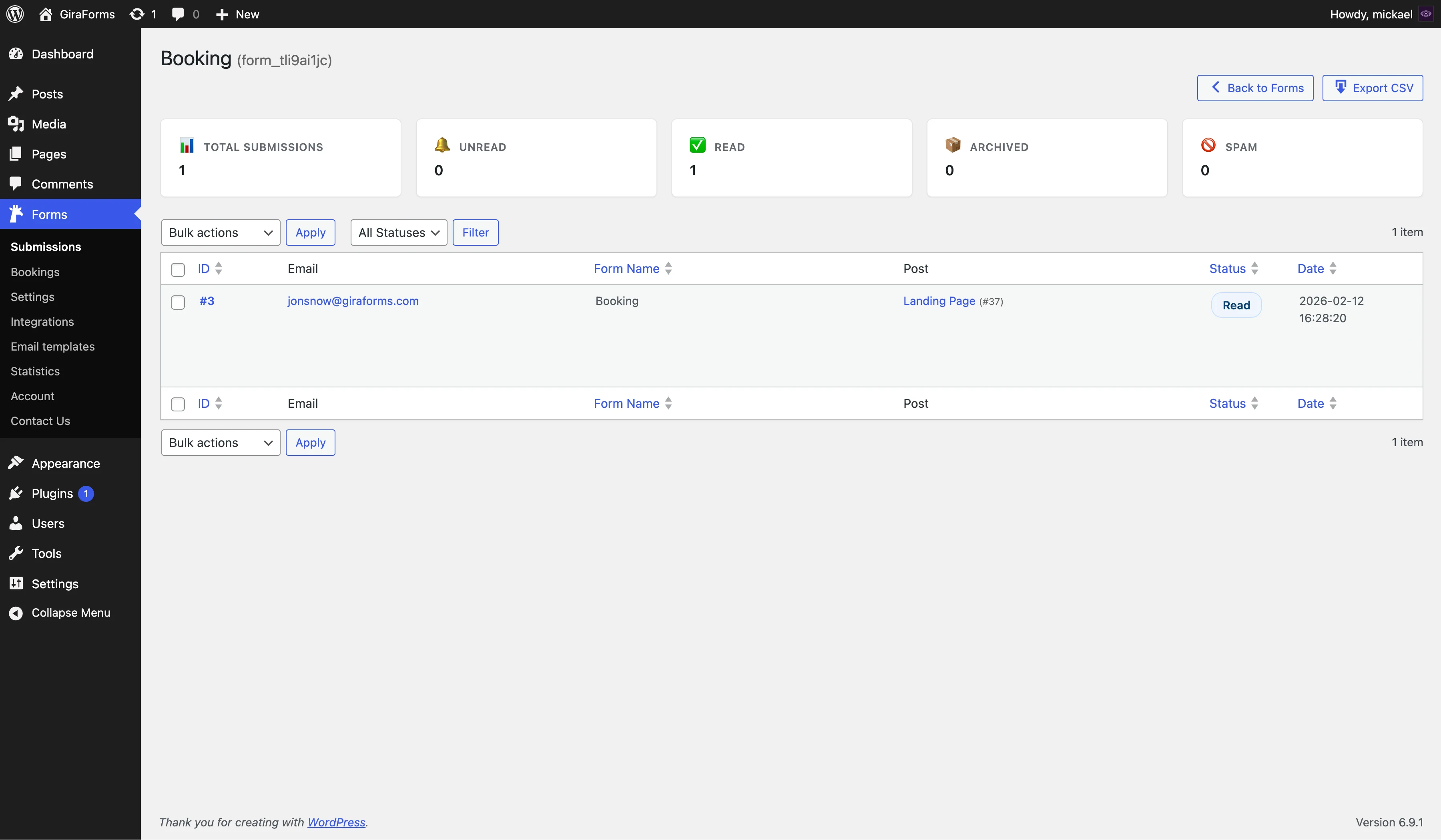
Submissions List
The list view shows key information at a glance:
- ID — unique submission number
- Form — which form the entry came from
- Summary — preview of the first few field values
- Date — when the submission was received
- Status — current status (see below)
Submission Details
Click on any submission to view the full entry details:
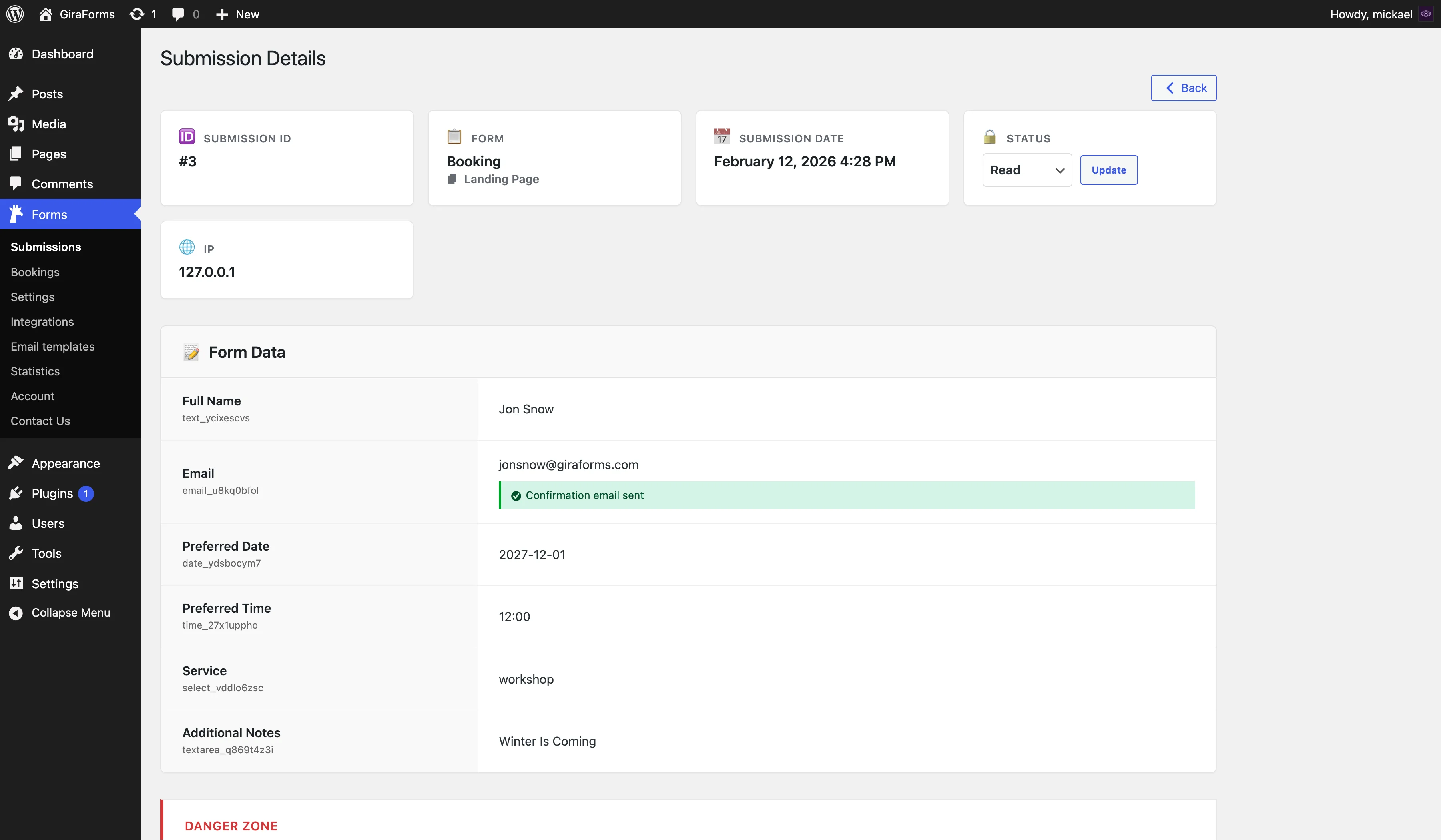
- All field labels and their submitted values
- File attachments and signatures (if applicable)
- Submission metadata: date, IP address, browser, and page URL
Searching & Filtering
Use the toolbar at the top of the submissions list to find specific entries:
| Filter | Description |
|---|---|
| Search | Search across all field values by keyword |
| Form Filter | Show submissions from a specific form only |
| Date Range | Filter by submission date |
| Per Page | Control how many entries are displayed (20, 50, 100) |
Submission Statuses
Every submission has a status to help you track which entries have been reviewed:
| Status | Description | Version |
|---|---|---|
| Unread | Freshly received, not yet reviewed | Free |
| Read | Marked as read by an admin | Free |
| Archived | Processed and archived for reference | Pro |
| Spam | Marked as spam | Pro |
Change a submission's status from the detail view or use bulk actions to update multiple entries at once.
Bulk Actions
Select multiple submissions using the checkboxes, then choose a bulk action:
- Delete — move selected entries to trash
- Export — download selected entries as CSV (see Export)
- Change Status Pro — update the status of selected entries
Deleting Submissions
Deleted submissions are moved to the trash and can be restored. To permanently delete entries, empty the trash.
Submission Metadata
Each submission records additional metadata automatically:
- Submission Date — exact date and time
- IP Address — submitter's IP (useful for spam detection)
- User Agent — browser and OS information
- Page URL — the page where the form was submitted
- User ID — WordPress user ID if logged in
Advanced submission management
Get Archived and Spam statuses, plus all premium features to power your forms.
Upgrade to Pro