Premium Fields Pro
9 advanced field types available with Giraforms Pro to handle complex form requirements.
File & Media
File Upload Pro
Allow users to upload files with their submissions. Supports multiple files and file type restrictions.
- Allowed types: Accepts common file types (images, PDFs)
- Max file size: Set a per-file size limit
- Multiple files: Allow users to upload more than one file
- Storage: Files are stored in the WordPress media library under a dedicated Giraforms folder
Signature Pro
A signature pad where users can draw their signature with a mouse or touch. The signature is saved as an image.
- Pen color: Customize the drawing color
- Background color: Set the pad background
- Clear button: Let users redo their signature
- Output: Saved as a PNG image attached to the submission
Specialized Input
Currency Pro
A formatted currency input with support for multiple currencies. Automatically formats the value with the correct symbol and decimal separator.
- Currency symbol: USD ($), EUR (€), GBP (£), and more
- Decimal places: Configure precision
- Min / Max: Set value boundaries
Payments
Stripe Payment Pro
A secure credit card payment field powered by Stripe. Charge fixed amounts or dynamic values pulled from other fields.
- Amount modes: Fixed amount, booking price, or linked currency/number field
- Multi-currency: Supports major currencies like EUR, USD, GBP, CHF, CAD, and more
- Checkout UX: Built-in card element with real-time validation
- Server verification: Submission is accepted only when payment succeeds
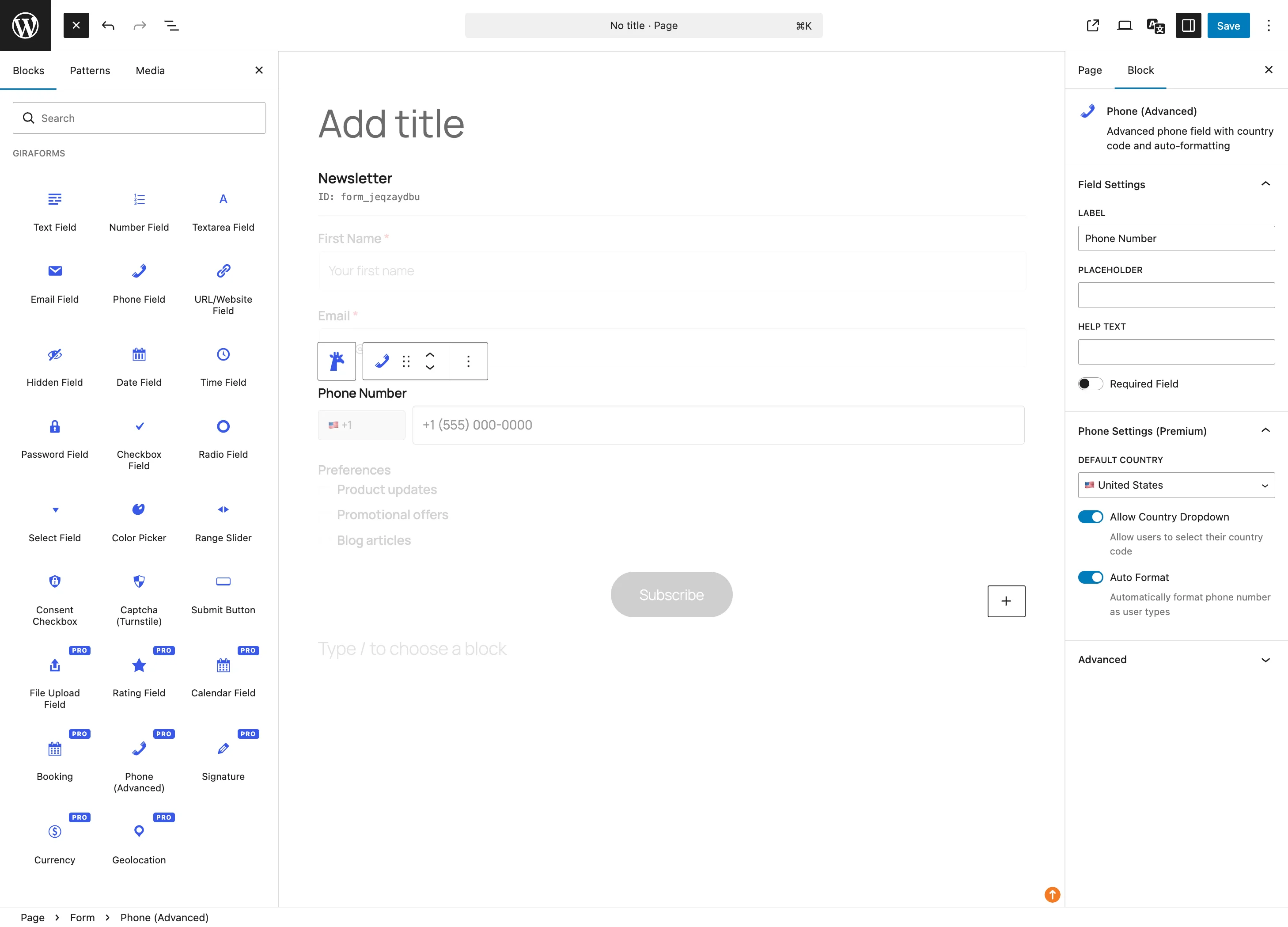
Phone Advanced Pro
An international phone number input with country code selector and format validation. Automatically detects the user's country.
- Country selector: Flag-based dropdown with dial codes
- Validation: Validates against the selected country's phone format
- Default country: Pre-select a fixed country
Geolocation Pro
Capture the user's location via browser geolocation.
- Auto-detect: Request the user's current GPS coordinates
- Manual entry: Allow users to enter coordinates manually
- Reverse geocoding: Optionally resolve coordinates to a readable address
Rating Pro
A star rating input for feedback, reviews, or satisfaction surveys.
- Scale: Choose from 3 to 10 stars
- Icon: Stars, hearts, or thumbs-up
Scheduling
Booking Pro
A date-and-time booking field that lets users pick an available slot. Integrates with the form's scheduling settings.
- Available days: Configure which days of the week are open
- Time slots: Define available time slots with labels and pricing
- Capacity: Limit bookings per slot
- Blocked dates: Mark specific dates as unavailable
Calendar Pro
A visual calendar field for selecting a date. Displays a full month view with navigation.
- Min / Max date: Restrict selectable date range
- Disabled days: Block specific weekdays
- Disabled dates: Block specific dates
- Format: Configure the output date format
Using Premium Fields
Activate Pro
Make sure your Giraforms Pro license is activated under Forms → Settings → License.
Add Premium Blocks
In the block editor, search for the premium field name (e.g., "Giraforms File Upload"). Premium blocks are marked with a Pro label in the inserter.
Configure & Publish
Configure the field settings in the block inspector and publish your form. Premium field data appears in submissions alongside free field data.
Unlock all 9 premium fields
Get file upload, signature, currency, Stripe payments, booking, calendar, rating, geolocation, and international phone.
Get Giraforms Pro